Cancellation Policy
From the 1st July 2023 cancellation requests received:

- Between one week (7 full days) before your appointment time until 4pm 2 business days prior, your appointment will incur a fee of $50.
- If the client replies to an email or SMS before 4pm on the same day the reminder has been sent, no fee applies.
- Between by 4pm 2 business days before your appointment until 4pm the business day prior, your appointment will incur a fee of $100.
- Any cancellation request received after 4pm the business day before your appointment will incur full fees.
Our business days are Monday to Friday, excluding public holidays. Any notification that is received on the weekend, or on a public holiday will be regarded as “received the next business day”.

Cancellation/No Show Procedure
Cancellations
When a client cancels an appointment via email or phone more than 7 days in advance of the appointment time, update the appointment in Power Diary to ‘Cancelled’, make note of the reason for cancellation and offer to book another appointment.

Late Cancellations
If client requests to cancel their appointment within the late cancellation notice period, offer a Telehealth appointment to avoid the fee. Depending on the circumstances of the late cancellation or no show, it is up to clinician's discretion as to whether to waive the fee or not, or offer a reschedule during the same week.
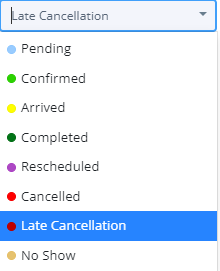
Once cancelled, change the appointment flag to 'Late Cancellation'.
No Shows
If the client does not show up for their appointment, call the client within the first 5 minutes of their scheduled appointment to check on their welfare. Advise the client of the no-show fee and attempt to book another appointment.
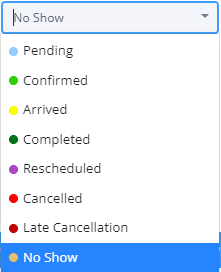
Once cancelled, change the appointment flag to 'No Show'.

Invoicing for Late Cancellations
If a client incurs a late fee:
- Change appointment flag to 'Late Cancellation' or 'No Show'
- Edit invoice and change item from previous service to 'Late Cancellation or No Show'
- Change item description to reflect the late fee being incurred
- Update the price to reflect the fee
- Change Tax Usage to "Price Includes Tax"
- Add 10% tax
- If card is on file, process payment through Stripe
- If no card is on file, send invoice via email.