Submitting Approved Leave Requests
Approved leave must be submitted through Xero within the relevant pay period in order for payment to be successfully processed.

How to submit your approved leave request
Approved leave must be submitted through Xero within the relevant pay period in order for payment to be successfully processed.

Via Desktop
- Go tohttps://login.xero.com/identity/user/login
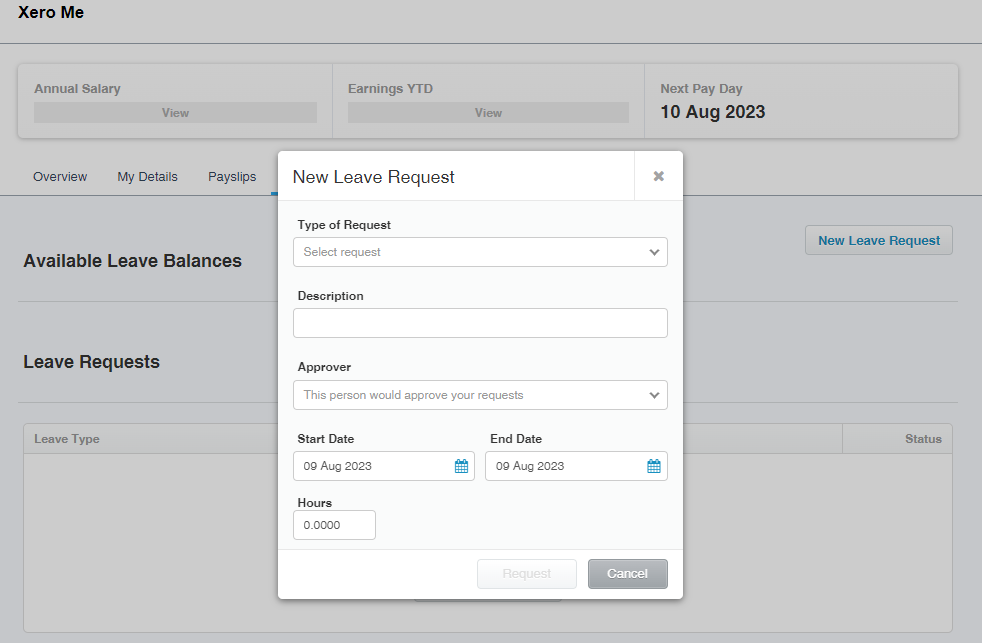
- Click on the Leave tab
- Click "New Leave Request"
- Select the relevant leave type from the dropdown box
- Fill in remaining fields, selecting Reggie Beasley as the Approver
- Ensure that the Hours section is edited as it will default to 7.6 hours
- Click Request to submit
Via Mobile App
- Go to Xero App
- Click on the Leave tab
- Click "New Leave Request"
- Select the relevant leave type from the dropdown box
- Fill in remaining fields, selecting Reggie Beasley as the Approver
- Ensure that the Hours section is edited as it will default to 7.6 hours
- Click Request to submit
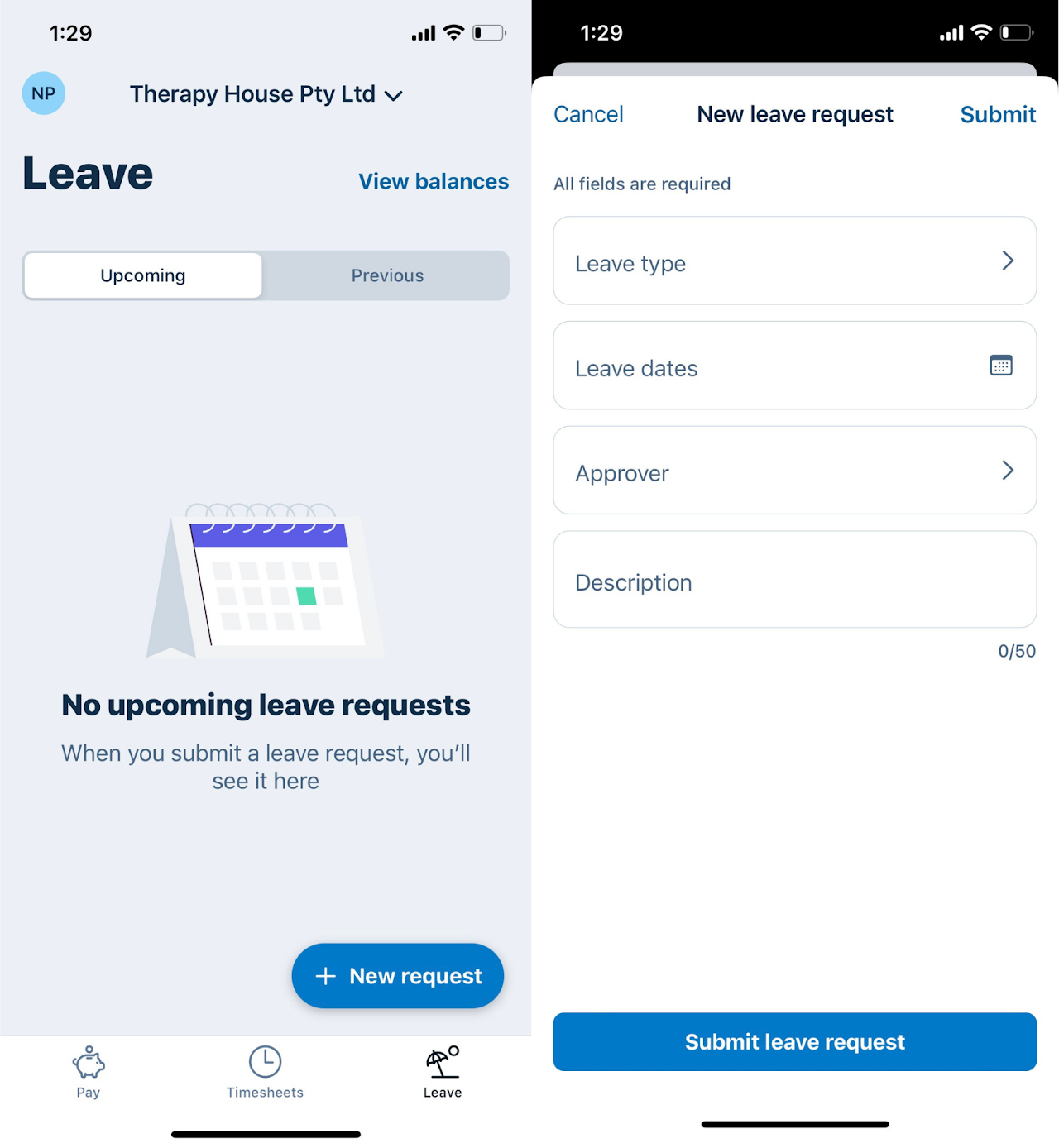
Note: You can track the progress of your leave requests in Xero at any time by checking the status column on the right.